Get started with MyServices
The onboarding process
- Enter you company name Please enter your full company name.
- Sign in and with Microsoft You will be redirected to Microsoft to sign in and grant necessary permissions.
- Enable user management in the portal
In order for you to onboard other users in your organization and manage
their access or RBAC roles, we need your consent to read basic user
information.
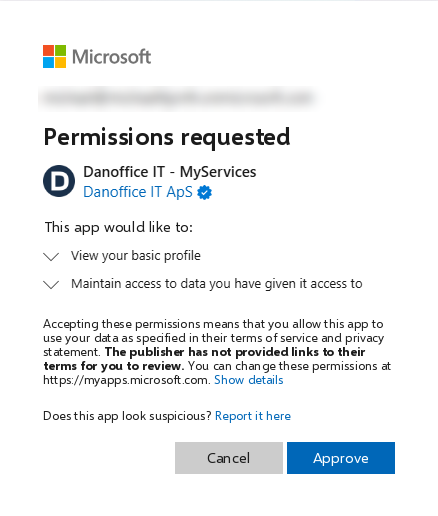
On the consent page, make sure you see the Approve button. If you
only see Request*, you are not signed in with an account that can
grant consent for your organization.
This is what you should see
 Not this one
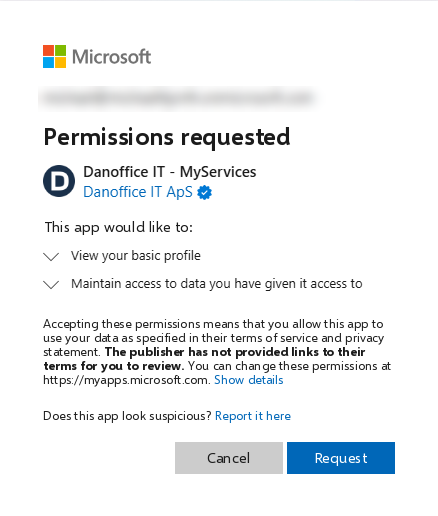
* If you pressed Request, an administrator has to go to Entra - Enterprise applications - Activity - Admin consent requests and approve the request, or contact us via mail to get an approval link.
Fill in your details to begin onboarding. We will use this information when you connect your Microsoft account.